API integration for business is no longer a technical luxury — it is the difference between a team that copies data between tabs all day and a team whose tools talk to each other automatically. If your CRM does not know what your payment gateway just charged, and your helpdesk does not know what your CRM promised, you are paying people to be middleware.
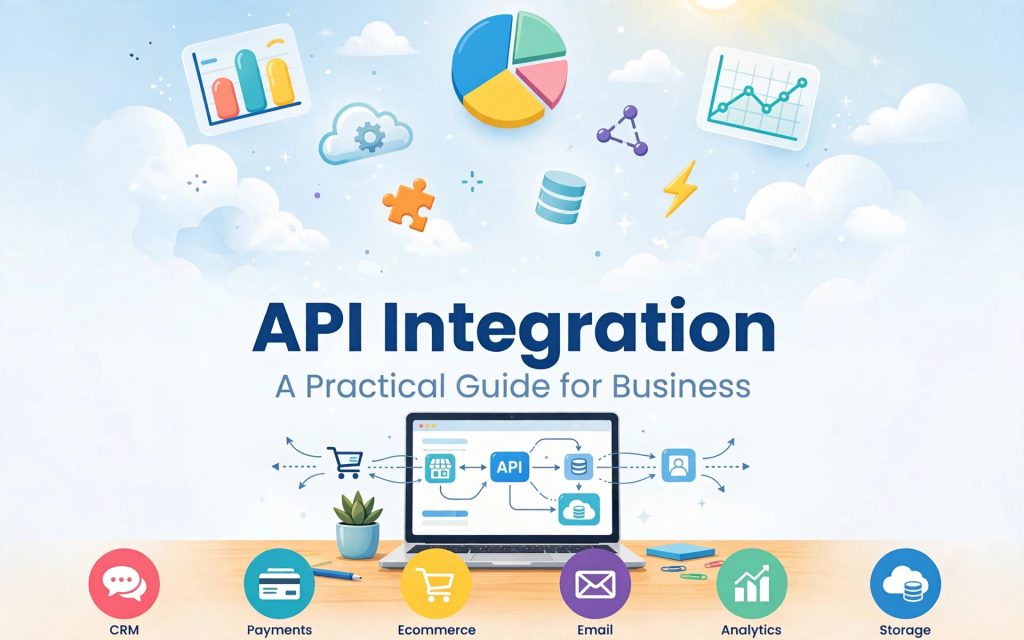
This guide explains, in plain language, how API integration works, which systems to connect first, what it costs, and how to avoid the mistakes that quietly break integrations six months after launch.
What Is API Integration for Business?
An API (Application Programming Interface) is a structured doorway into a software product. API integration is the process of wiring two or more of those doorways together so data moves without a human copying it.
A simple example: a customer pays an invoice in Stripe. With a working integration, that single event can automatically mark the deal as Closed Won in HubSpot, generate an invoice record in QuickBooks, provision the customer account in your product, and post a message in the sales channel in Slack — in under two seconds, with no one touching a keyboard.
Why Businesses Invest in Integration
- Eliminated double entry. The same record is typed once, not four times.
- One version of the truth. Finance, sales, and support read the same numbers.
- Faster cash collection. Payment events trigger fulfillment and dunning instantly.
- Fewer human errors. Mistyped emails and wrong amounts largely disappear.
- Scalability without headcount. Volume grows; manual hours do not.
The Three API Integration for Business Layers Every Company Needs
1. CRM Integration
Your CRM — Salesforce, HubSpot, Zoho, Pipedrive — is the system of record for customer relationships. Most CRMs expose a REST API with OAuth 2.0 authentication plus webhooks for real-time events.
Typical CRM integrations worth building first:
- Website and landing page forms creating leads with correct source attribution
- Marketing platform syncing email engagement back to the contact record
- Product usage data flowing in so sales sees who is actually active
- Support tickets visible on the account so no one calls an angry customer to upsell
2. Payment Integration
Payment APIs — Stripe, PayPal, Adyen, Razorpay, regional gateways — are the most sensitive integrations you will build, because money and compliance are involved.
Non-negotiable practices here:
- Never store raw card data. Use tokenization and hosted fields so PCI-DSS scope stays with the provider.
- Treat webhooks as the source of truth, not the browser redirect. Customers close tabs; webhooks still arrive.
- Verify webhook signatures on every request. An unsigned payment webhook endpoint is an open invitation.
- Build idempotency in. Send an idempotency key with every charge so a retry never double-bills.
- Reconcile daily. A scheduled job comparing gateway settlements to your ledger catches silent failures.
3. Operational Tool Integration
API integration for business at this layer covers everything else that runs the company: accounting, helpdesk, project management, chat, e-signature, analytics, inventory. Individually small, collectively the bulk of wasted hours.
Three Ways to Approach API Integration for Business
Native Integrations
Pre-built connectors offered inside the products themselves. Fastest and cheapest — connect in minutes, no code. The limitation is rigidity: fixed field mappings and no custom business logic. Always check this option first.
iPaaS and No-Code Platforms
Zapier, Make, Workato, n8n, Tray. These sit between your apps and move data on triggers. Excellent for low-to-medium volume workflows and for teams without engineers. Watch the economics: per-task pricing that is trivial at 2,000 operations a month becomes painful at 500,000.
Custom API Integration
Purpose-built middleware written by developers. You choose this when logic is genuinely complex, volume is high, latency matters, data is sensitive, or the connector you need simply does not exist. Higher upfront cost, lowest cost per transaction at scale, and complete control.
A Practical Integration Roadmap
Step 1: Map the Data, Not the Apps
Before anyone writes code, document each object you care about — customer, order, invoice, ticket — and decide which system owns it. If two systems both claim to own the customer email, you will fight sync conflicts forever. One owner per field.
Step 2: Audit API Capability
Read the documentation of every system in scope and record: authentication method, rate limits, webhook availability, sandbox environment, pagination behavior, and API versioning policy. A tool without webhooks forces you into polling, which changes your architecture and your cost.
Step 3: Choose Real-Time or Batch
Not everything needs to be instant. Payment confirmations and lead routing should be real-time via webhooks. Nightly financial exports and reporting syncs are perfectly happy as scheduled batch jobs, and batch is far cheaper to run and easier to debug.
Step 4: Build Authentication Properly
Use OAuth 2.0 where offered. Store credentials in a secrets manager, never in source control or a config file in the repo. Rotate keys on a schedule, scope every token to the minimum permission it needs, and use separate credentials for sandbox and production.
Step 5: Design for Failure
Every integration fails eventually — APIs go down, rate limits hit, payloads change. Mature integrations include retry with exponential backoff, a dead-letter queue for permanently failed records, idempotency keys, structured logging of every request and response, and alerting that reaches a human.
Step 6: Test in a Sandbox
Use provider test environments and test card numbers. Deliberately simulate failures: expired tokens, duplicate webhooks, malformed payloads, partial outages. An integration that has only ever been tested on the happy path is untested.
Step 7: Monitor After Launch
Track sync success rate, latency, error rate by endpoint, and queue depth. Most broken integrations are not discovered by monitoring — they are discovered by a customer complaint weeks later. A dashboard and an alert rule prevent that.
What API Integration Costs
The price of API integration for business varies by market and complexity, but the structure is consistent:
- Native connector: included in your subscription; hours of configuration.
- iPaaS workflow: platform subscription plus per-task fees; days of setup.
- Custom two-system integration: typically two to six weeks of development.
- Multi-system integration layer: two to four months, plus ongoing maintenance.
Budget 15–20% of the build cost annually for maintenance. Third-party APIs deprecate versions, change schemas, and tighten rate limits. An unmaintained integration is a future outage with a date already assigned to it.
Common API Integration for Business Mistakes to Avoid
- Polling when webhooks exist. Wasteful, slow, and it burns your rate limit.
- No idempotency. One retried request becomes one duplicate charge and one angry customer.
- Hardcoded field mappings. Make mappings configuration, not code.
- Ignoring rate limits. Respect the documented ceiling and queue work behind it.
- Syncing everything. Move the fields the business actually uses; the rest is cost and risk.
- No audit trail. Without request logs, debugging a sync dispute is guesswork.
- Skipping API versioning. Pin a version and upgrade deliberately.
How to Know You Are Ready
You are ready for a serious API integration for business project when your team copies data between systems daily, your reports disagree depending on which tool produced them, onboarding a customer takes a checklist of manual steps, or growth is capped by operations headcount rather than demand.
Start your API integration for business with the single workflow that costs the most hours per week. Prove the value, then expand. A focused integration that saves a team twenty hours a week builds more internal support than an ambitious platform project that takes a year.
REST, GraphQL, Webhooks and Batch: Choosing the Right API Style
Not every API integration for business behaves the same way, and the style you are working with shapes the architecture of your integration more than any other technical decision.
REST APIs
REST is the default across business software. You request a resource by URL, you receive JSON, and you authenticate with a bearer token. It is predictable, well documented, and easy to debug with simple tools. The weakness is over-fetching: to assemble one complete customer view you may need four or five separate calls, which burns rate limit and adds latency.
GraphQL APIs
GraphQL lets you request exactly the fields you need in a single query, which is extremely efficient when you are assembling composite records from a deeply nested data model. Shopify and several modern platforms have moved this direction. The trade-off is a steeper learning curve, more complex caching, and cost models based on query complexity rather than a simple request count.
Webhooks
Webhooks invert the relationship: instead of asking repeatedly whether anything changed, the provider notifies your endpoint the moment it does. For payments, order events, and lead capture, webhooks are the correct choice almost every time. They cut latency from minutes to milliseconds and remove the vast majority of wasted API calls. The responsibility they add is operational: your endpoint must be publicly reachable, fast, signature-verified, and tolerant of duplicate deliveries.
Batch and File-Based Transfers
Plenty of enterprise systems, especially in finance, logistics, and government, still exchange data as scheduled CSV or XML files over SFTP. It feels dated, but for high-volume reconciliation it is reliable, cheap, and auditable. Do not force a real-time architecture onto a process that genuinely runs once a night.
A Worked Example: Lead to Cash in Four Systems
To make this concrete, consider a mid-sized B2B services company connecting four systems: a website, HubSpot as the CRM, Stripe for payments, and QuickBooks for accounting.
Before integration. A lead submits a form. Someone checks the inbox, retypes the details into the CRM, and assigns an owner. When the deal closes, someone creates a payment link by hand, watches for the payment email, updates the deal stage, then retypes the invoice into the accounting system. Seven manual touches, roughly twenty minutes per customer, and at least one error every week.
After integration. The form posts directly to the CRM with campaign source attached and a routing rule assigns an owner within seconds. When the owner marks the deal Closed Won, a payment link is generated automatically and emailed to the customer. The payment webhook fires on success, which updates the deal, creates the invoice record in accounting, provisions the customer account, and notifies the delivery team. Zero manual touches, under five seconds end to end.
The business impact is not only the saved hours. Attribution finally works, because source data is never lost in retyping. Revenue reporting becomes trustworthy, because one event drives every downstream record. And onboarding a new customer no longer depends on a particular person remembering a particular checklist.
Data Mapping: The Step Teams Skip and Regret
The most common cause of a failed API integration for business project is not bad code — it is undefined data ownership. Before building, write down a mapping table for every object you intend to sync.
- Field name in each system. Email in one tool is often emailAddress or primary_email in another.
- Owner. Exactly one system is allowed to write each field. Everything else reads it.
- Direction. One-way or two-way. Two-way sync doubles the testing burden, so justify it.
- Transformation rules. Date formats, currency units, country codes, phone normalization, picklist translation.
- Conflict rule. When both sides changed since the last sync, which wins — most recent, or the owning system?
- Required versus optional. What should block a sync, and what should pass through with a warning.
This document is not bureaucracy. It becomes the test plan, the developer specification, and the reference your team uses two years later when someone asks why a field looks wrong.
Security and Compliance Checklist
API integration for business moves your most sensitive data across network boundaries, which makes them an attractive target. Treat the following as a minimum standard rather than a wish list.
- TLS everywhere. No plaintext endpoints, internal ones included.
- Secrets in a vault. Environment-injected credentials, never committed to a repository.
- Least privilege. A read-only reporting sync should not hold a token that can delete records.
- Signature verification on every inbound webhook, with replay protection on timestamps.
- IP allow-listing where the provider supports it.
- Field-level minimization. If the destination system does not need the national ID number, do not send it.
- Retention rules. Request and response logs are invaluable for debugging and dangerous if kept forever; define a window and enforce it.
- Audit trail. Who changed a mapping, when, and why.
- Regulatory scope. GDPR, PCI-DSS, HIPAA and local data-residency rules all constrain where integrated data may travel and how long it may live.
Maintaining an Integration After Launch
An API integration for business is a living system, not a delivered artifact. Three forces constantly push it toward breakage: provider APIs evolve, your own business rules change, and data volume grows past the assumptions the original design made.
A realistic maintenance routine looks like this. Subscribe to the changelog and developer mailing list of every provider in scope. Review deprecation notices quarterly and schedule upgrades before the cut-off, not after. Keep a staging environment with sandbox credentials so upgrades are tested somewhere other than production. Alert on sync failure rate and queue depth rather than waiting for complaints. And revisit the data mapping document whenever the business changes a process, because an undocumented process change is how a correct integration starts producing wrong numbers.
Teams that budget for this treat integrations as infrastructure. Teams that do not end up rebuilding the same connection every two or three years at full cost.
Measuring the Return on Integration
Before you build an API integration for business, record the baseline: hours spent per week on manual data entry, average error rate, time from lead to first response, and days from delivery to invoice. After launch, measure the same four numbers. Most integration projects pay for themselves within six to twelve months on labour savings alone, and the quality gains — accurate reporting, faster cash collection, fewer customer-facing mistakes — usually matter more to leadership than the hours.
Present the case in those terms rather than technical ones. Approval for an integration budget rarely depends on explaining webhooks; it depends on showing that twenty hours a week of retyping disappears and that the revenue report finally reconciles.
Frequently Asked Questions
What is API integration in simple terms?
API integration for business means connecting two software systems so they exchange data automatically, replacing the manual copy-paste work a person would otherwise do.
How long does an API integration take?
A native connector takes hours. An iPaaS workflow takes days. A custom integration between two systems usually takes two to six weeks depending on complexity, data volume, and the quality of the APIs involved.
Is API integration secure?
API integration for business is secure when built correctly: HTTPS everywhere, OAuth 2.0 or scoped API keys, secrets in a vault, signed and verified webhooks, least-privilege permissions, and complete request logging. Payment data should stay tokenized inside the provider.
Should I use Zapier or build a custom integration?
Use Zapier or a similar iPaaS for straightforward, low-volume workflows you want running this week. Build custom when volume is high, logic is complex, latency matters, compliance is strict, or per-task pricing has become more expensive than engineering time.
What happens if an API changes?
Providers deprecate versions with notice. Pin your integration to a specific API version, subscribe to the provider changelog, and schedule periodic upgrade reviews so a deprecation never becomes an outage.
Connect Your Systems With DevForc
DevForc designs and builds production-grade API integrations — CRM, payments, accounting, and custom internal tools — with proper authentication, retry handling, monitoring, and documentation. If your team is still moving data by hand, talk to us about an integration audit and we will map the fastest path to automating it.